

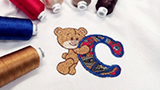
 Hatch Embroidery Digitizer
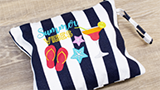
 Hatch Embroidery Composer
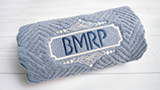
 Hatch Embroidery Personalizer
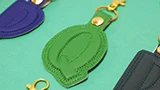
 Hatch Embroidery Organizer


















Compare Hatch 4 features and pricing
Get started by selecting your payment method, and then compare products and pricing
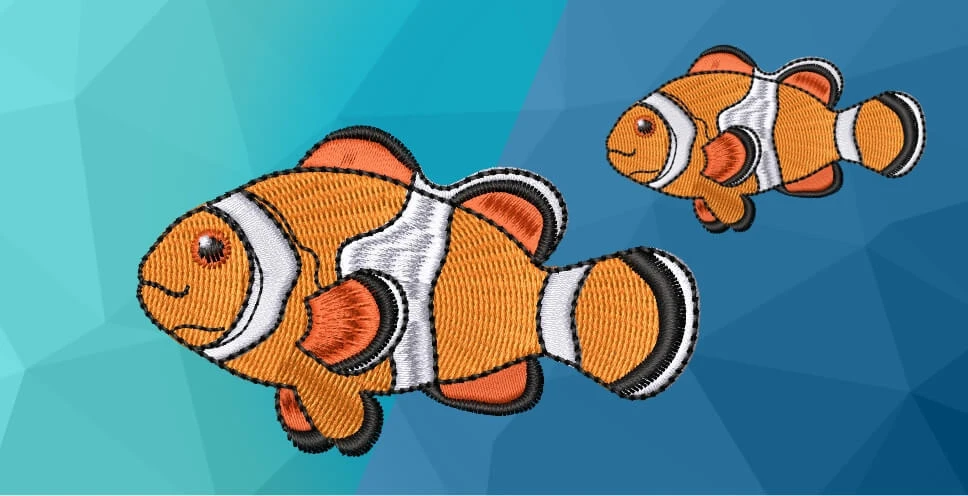
Compare Hatch 4 levels
Everything you need to succeed
Every purchase comes with a full ecosystem of support, learning, and community.
Find out more
Hatch Academy
Start your journey with over 500 expert lessons included with your purchase. Learn quickly and avoid common pitfalls.
Hatch Academy
Learn fast, create more.
All levels of Hatch Embroidery include access to the Hatch Academy with 72+ comprehensive courses and over 400 lessons, covering everything from beginner basics to advanced techniques.
- 72+ comprehensive courses
- 400+ expert lessons
- Free for all Hatch Embroidery software owners
- From novice to pro — our experts have you covered
Find out more
FREE Blogs & Projects
Over 150 inspirational blogs and projects written by our Hatch Embroidery experts to motivate and broaden your creativity.
FREE Blogs & Projects
Inspiration and ideas, whenever you need them.
Over 150 inspirational blogs and projects written by our Hatch Embroidery experts, filled with educational content, tips, ideas, and more to motivate and broaden your embroidery creativity.
- 150+ free projects and blog posts
- Written by Wilcom embroidery experts
- Seasonal and themed projects throughout the year
- Perfect for all skill levels
Find out more
Community
Join our Facebook group where over 30,000 experienced Hatchers share ideas, help one another, and celebrate their love of embroidery.
Community
30,000+ Hatchers ready to help.
Join our YouTube channel, Facebook page, and Facebook group where over 30,000 experienced Hatchers gather to help one another, share ideas, and celebrate their love of machine embroidery.
- 30,000+ active community members
- Facebook group with daily help and sharing
- YouTube channel with video tutorials
- Community of embroiderers worldwide
Find out more
Free Designs
400 high quality free designs come included with your software. Perfect for exploring all the editing tools from day one.
FREE Designs
400 high-quality designs, ready from day one.
400 high quality free designs come included with your software. They are perfect for trying out the various editing tools and stitching out embroidery designs on your machine from the moment you start.
- 400 included embroidery designs
- Ready to use straight out of the box
- Perfect for exploring all editing tools
- Great variety of styles and categories
Find out more
Best Direct Support
Our in-house expert support team will help you out quickly and efficiently. Real people who know embroidery inside out.
Best Direct Support
You are never on your own.
No matter your skill level, Hatch Embroidery surrounds you with support. From built-in tools to a thriving community and a world-class customer service team, help is always close by.
- 200+ free Hatch Academy lessons included with your 30-day trial — learn at your own pace
- F1 key in the software opens the relevant User Guide section instantly
- Hints Docker provides short how-to videos right inside the software
- Hatch Users Facebook group
- Dedicated Help & Support site with FAQs and troubleshooting guides
- Expert support team — submit a ticket and typically hear back within 24 hours
Find out more
30-Day Money-Back Guarantee
At Wilcom we are confident in Hatch Embroidery. If for any reason you are unhappy, you will get your money back, no questions asked.
30-Day Money-Back Guarantee
Buy risk free. No questions asked.
At Wilcom we are confident in the quality of Hatch Embroidery. If for any reason you are unhappy with the software within 30 days of purchasing, we will give your money back — no questions asked.
- Applies to all Hatch Embroidery software products purchased directly from hatchembroidery.com
- Also covers the first FlexPay payment if purchased on a payment plan
- Technical issues our team cannot resolve are also fully refunded
- Submit a request via our Help Center and we'll process it promptly
Questions?
answered.
Start here if you need help:
- Browse the FAQs on this page
- Visit the Hatch Help Center
- Explore the Online User Guide
- Submit a support ticket
Our support team typically replies within one business day.
What is FlexPay and how does it work?
FlexPay lets you start using Digitizer or Composer today by paying US$99 per month rather than the full price upfront. You get full access to the software from day one. FlexPay is available for Digitizer (US$1,199) and Composer (US$699). The 30-day money-back guarantee also covers your first FlexPay payment.
Can I upgrade from one level to a higher level?
Yes. You can upgrade at any time by paying the price difference between your current level and the level you want. All your existing designs and settings carry over when you upgrade — you never lose your work. View upgrade options →
Can I upgrade from Hatch 3 (or an older version) to Hatch 4?
Yes, existing Hatch owners can upgrade to Hatch Embroidery 4 at a discounted price. The upgrade price is based on your current level and whether you are upgrading to the same or a higher level. Visit our upgrades page to see your options.
Is there a free trial?
Yes. You can download a free 30-day trial of Hatch Embroidery 4 with no credit card required. The trial includes every tool across all four levels so you can explore the full software before you decide which level to buy. The trial also includes access to a selection of 200+ Hatch Academy lessons.
What operating systems does Hatch Embroidery 4 support?
Hatch Embroidery 4 is Windows only and requires Windows 11. See the full system requirements for hardware specifications.
Note: Hatch Embroidery can be used on an Apple Silicon Mac by running Windows through virtualization software such as Parallels Desktop.
What does the 30-day money-back guarantee cover?
If for any reason you are unhappy with your purchase within 30 days, Wilcom will give you a full refund — no questions asked. The guarantee applies to all Hatch Embroidery software products purchased directly from hatchembroidery.com, including the first FlexPay payment. Technical issues that our team cannot resolve are also fully refunded. Full guarantee details →
Is the Hatch Academy really included with my purchase?
Yes. All Hatch Embroidery software owners receive full access to the Hatch Academy, which includes 72+ comprehensive courses and 400+ expert-led lessons valued at US$999, completely free. This covers everything from beginner basics through to advanced digitizing techniques.
Which level is right for me?
If you simply want to organise existing designs, resize, and stitch them out, Organizer is a great starting point. If you want to add text and monograms to your projects, Personalizer is the right choice. Composer is ideal for those who want to create and auto-digitize original embroidery. Digitizer is for anyone who wants full creative control, including manual digitizing from scratch. You can always upgrade by paying the difference.
Try every level free for 30 days
Download and start creating embroidery designs today. Your 30-day trial includes every tool in Hatch Embroidery 4, from basic customizing right up to professional digitizing.